Photoreal, not diagrams
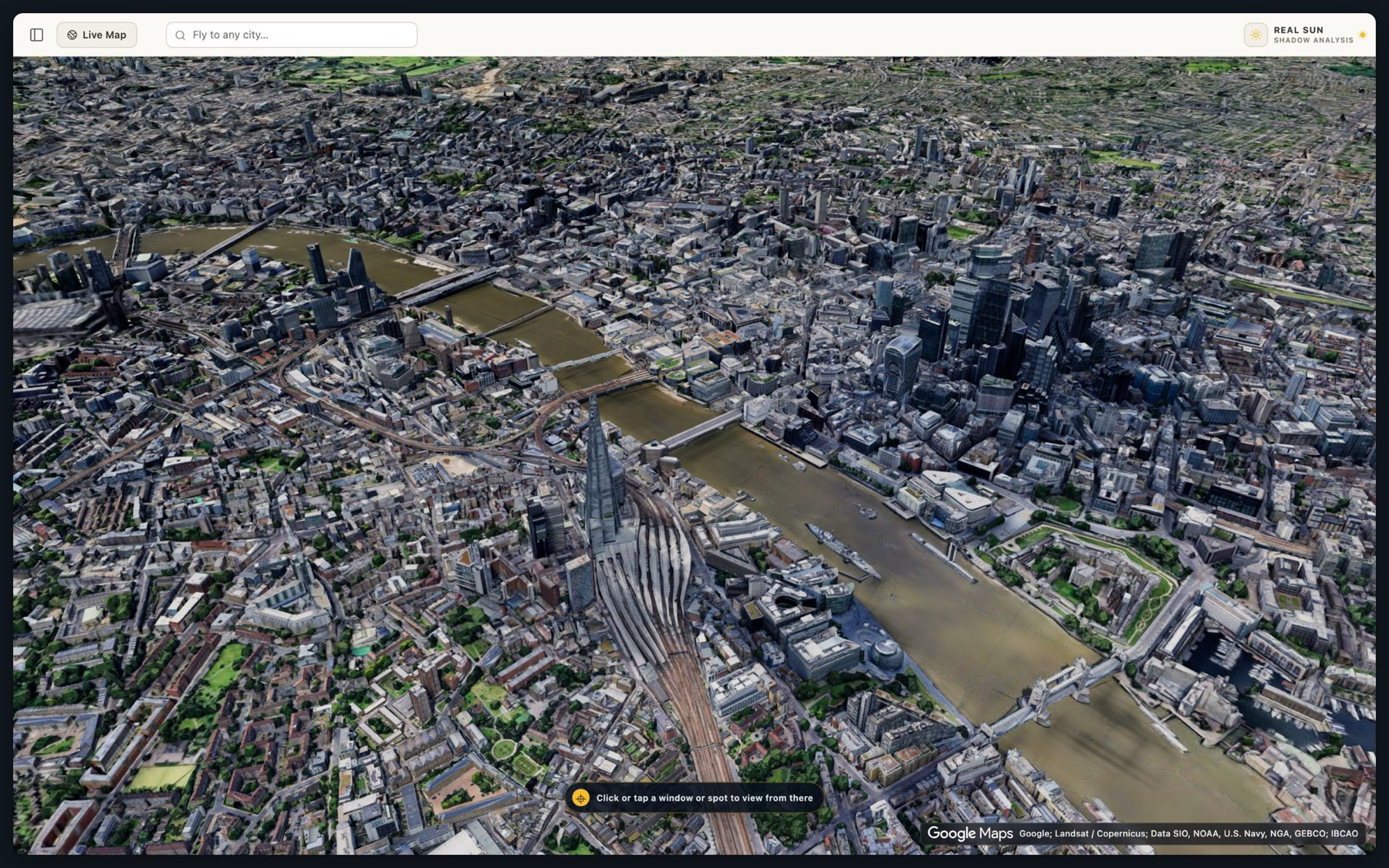
Actual buildings, actual rooftops, actual trees — streamed from Google's photorealistic 3D imagery. Not extruded grey blocks.
Photoreal 3D · Nothing to set up
Real sunlight over real buildings, in the best-looking 3D city you can get in a browser. No account, no upload, no CAD. Open it, drag the sun, and watch the shadows move.
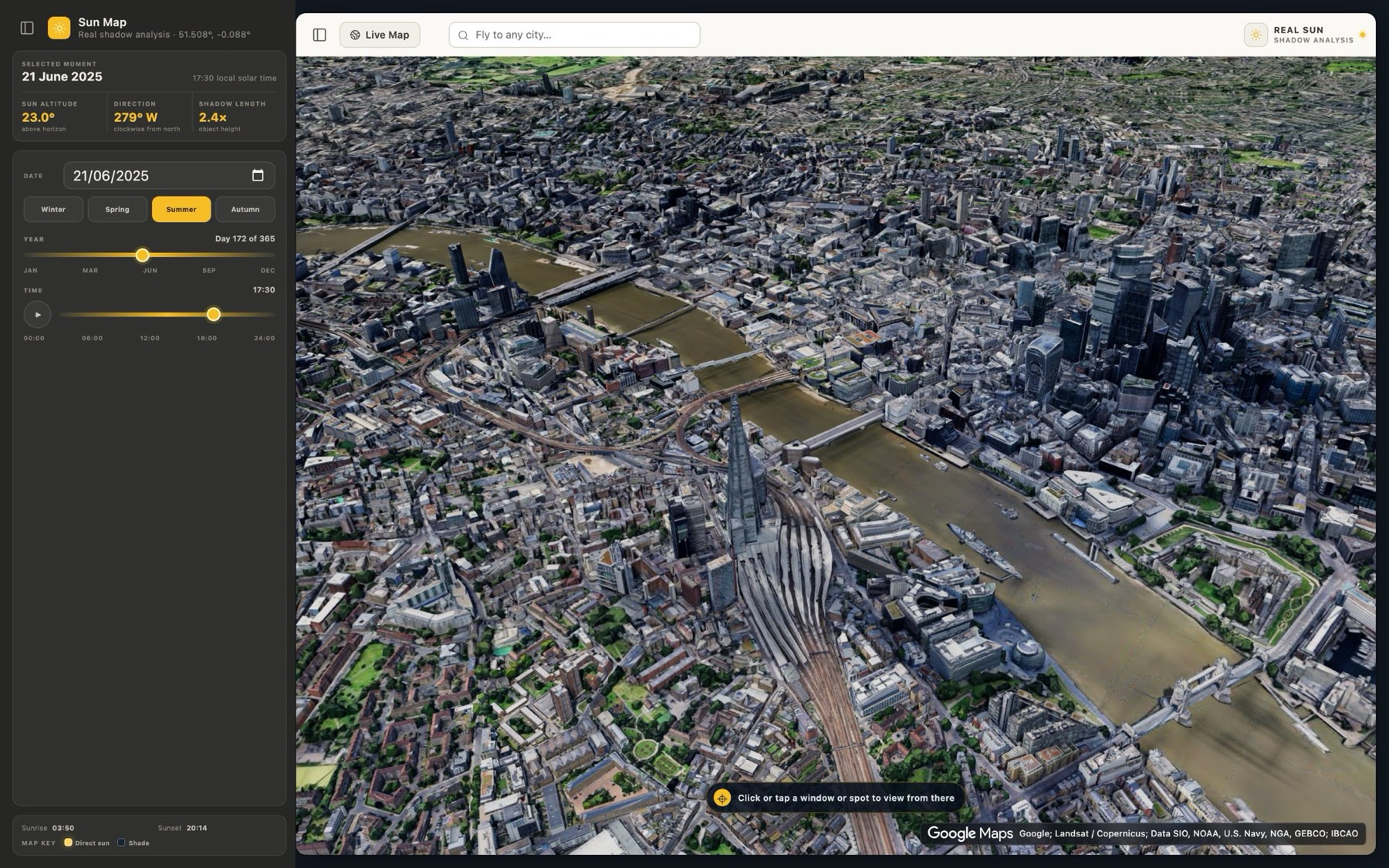
Above: the City of London, 21 June, 17:30 — captured in Sun Map
Sun Map reads the real solar geometry for a place and a moment. These are its own figures for central London at 12:30 solar time.
Serious solar analysis suites want your CAD models, a project setup and an afternoon to learn. Sun Map is for the other 95% of the time — when you just need to see it.
Actual buildings, actual rooftops, actual trees — streamed from Google's photorealistic 3D imagery. Not extruded grey blocks.
No account, no file import, no project to configure. The map is running about as fast as this page loaded.
Sun altitude, compass direction and shadow length for the exact spot and moment — not a slider that only changes a picture.
No sliders that only change a picture. Move the time and the altitude, direction and shadow length all recompute for the exact spot you're standing on.
Most tools answer one or the other. Sun Map keeps the sun, the shadows and your viewpoint in the same place.
Drag through the day and the shadows sweep across the city with it. Pick a date and compare a June morning against a December afternoon on the same building.
Click a building face, a rooftop or a patch of pavement. The camera drops to that spot, where you can look around and walk — with the sun controls still to hand.
Search any city, or let Sun Map start near you.
Choose the time of day, then the date if you have Pro.
Click a window, roof or street in the 3D city.
Walk, change height, and keep moving the sun.
The map, the full day and the click-to-view camera cost nothing and need no account.
$0
No account, no install.
£10 / month · $12 outside the UK
Cancel any time.
A real 3D city with the sun placed at the correct height and direction for the date and local solar time you choose. It is a fast way to see when a building, garden, balcony, street or public space is likely to be in sun or shade.
Yes. Once the detailed 3D city has loaded, click a visible window, roof or ground position. Sun Map moves the camera there so you can look around, walk through the scene and keep changing the time.
The map, the full time-of-day control and the click-to-view camera are free with no sign-up. Sun Map Pro unlocks every date from 2020 to 2035, which is what lets you compare seasons on the same building. Pro is £10 a month in the UK and $12 a month elsewhere.
Two different things are worth separating. The sun positions come from established solar geometry and are dependable. The city is streamed photogrammetry, so windows, trees, recent construction and fine detail may be simplified, missing or out of date — treat the geometry as indicative, not surveyed.
No. Sun Map is a visual exploration tool. Important planning, legal, property or solar decisions should be checked by a qualified professional with measured data.
The map is free and opens straight in your browser. No account, no install.
Open Sun Map